Professional digital textile, DTF, DTG, UV and industrial inkjet guidance for production teams. Schedule a print workflow review
Implementation services

Epson print workflow services for teams that need fewer unknowns

Printer projects often fail in the gaps between machine choice, media behavior, software settings, operator habits and finishing equipment. Epson service planning begins by documenting those gaps, then translating them into a setup route that production leaders can measure. The goal is practical: define what must be tested, who owns each routine and which printer family can carry the workload without inventing a new process every week.

Start a Service Review
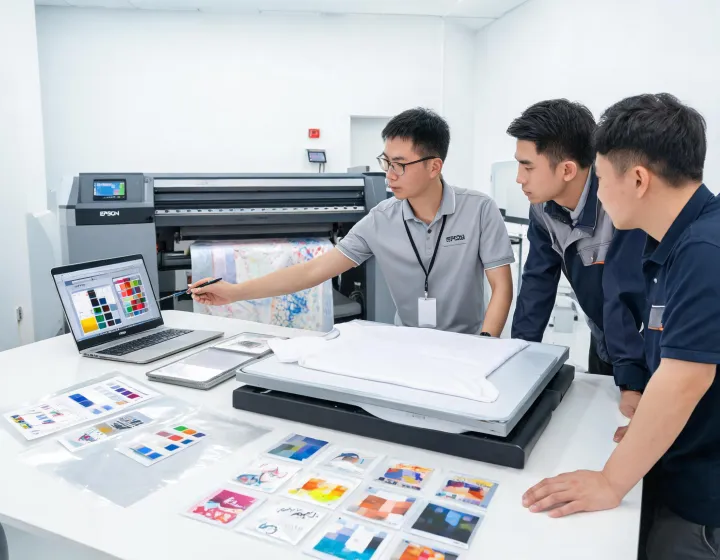
Epson service engineer reviewing digital print workflow with operators
Service scope

Four workstreams that turn printer intent into repeatable output

01

Application qualification

Media, ink, artwork, finishing and throughput targets are reviewed together. A DTF transfer program is treated differently from a UV sample shop because the failure modes, approval evidence and operator decisions are not the same.

02

Setup documentation

Teams receive a practical checklist for nozzle checks, profile selection, humidity observation, fixture positioning, curing or heat press settings and sample sign-off so each shift can follow the same route.

03

Operator enablement

Training focuses on the actions that affect output: loading media squarely, recognizing ink starvation, reading test patterns, managing white ink routines and escalating issues before waste accumulates.

04

Production stabilization

After launch, the workflow is checked against real orders. Settings that survived the demo are confirmed under live timing, actual artwork and the finishing steps that the customer will repeat.

Questions before setup

Decisions that should be answered before equipment lands on the floor

A strong service plan does not promise that every substrate, garment or roll media will behave identically. It identifies the variables that must be controlled and gives the production team a vocabulary for deciding whether the issue is artwork, media, ink, maintenance or throughput pressure.

Garment composition, artwork coverage, white ink expectations, pretreatment or powder process, heat press equipment, wash target and daily order mix should be documented before a recommendation is made.

The review looks at substrate preparation, adhesion expectation, print width, ink limits, drying or curing conditions, finishing steps and whether the shop needs samples, production graphics or both.

Yes. Include model family, driver or RIP environment, maintenance history, nozzle check status, media profile and the symptom that triggered the review so troubleshooting can be separated from new capacity planning.
Before and after

What changes when print service is treated as an operating system

Before review

  • Operators change settings based on memory instead of a shared production note.
  • Color disputes are discussed after jobs are late, with no reference print or profile record.
  • Maintenance is reactive, so blocked nozzles or white ink instability become schedule events.
  • Printer selection is driven by a headline speed figure without checking real media or finishing limits.

After review

  • Each recurring job has an approved setup path covering media, ink, artwork, curing and inspection.
  • Color conversations reference target charts, profile names, lighting conditions and sample approvals.
  • Maintenance tasks are assigned to intervals that operators can complete before defects appear.
  • Equipment discussions stay tied to application volume, substrate range and workflow constraints.
Service intake

Request an Epson service map for the print workflow you are actually running.

Send the job mix, current bottleneck, printer family of interest and any media or ink behavior that needs validation. The response can then focus on operational evidence rather than broad equipment claims.

Please enter your name.
Please enter a valid business email.
Please share the print workflow you want to evaluate.